


Arroxy
DownloadSource

Paste a link,
or just browse.
The free YouTube downloader for Windows, Mac and Linux

Videos up to 8K, MP3s, playlists and subtitles from 2000+ sites. No ads, no account.

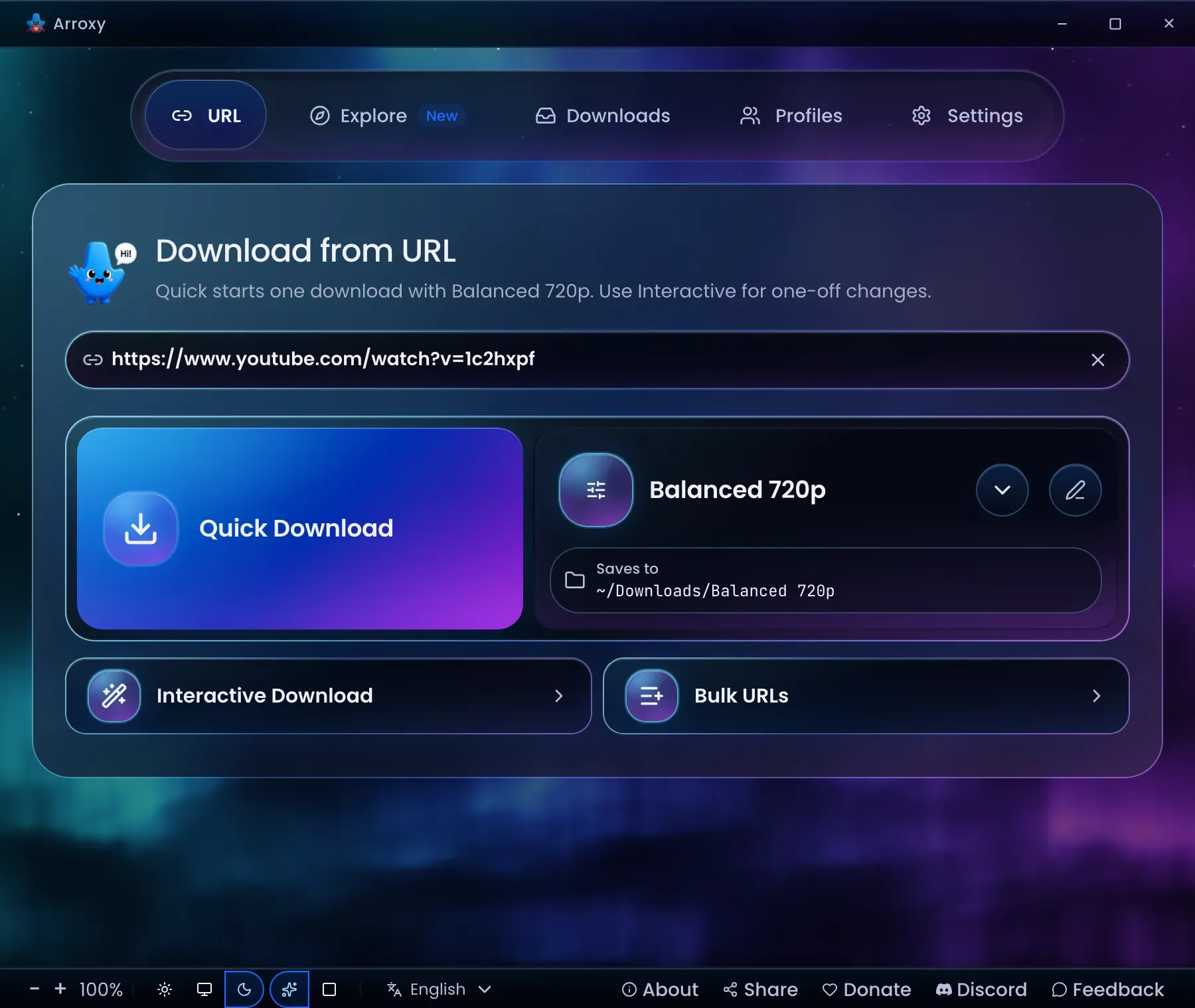
The Arroxy desktop app on its home screen, with a YouTube link pasted inArroxy's Explore tab showing a YouTube channel page with a Download button for the active profileThe Arroxy mascot waving hello

What Arroxy downloads

Every row below is a real Arroxy feature.

  1. Browse YouTube or any site

    Sign in once in Explore for videos your own account can already watch.

    More details

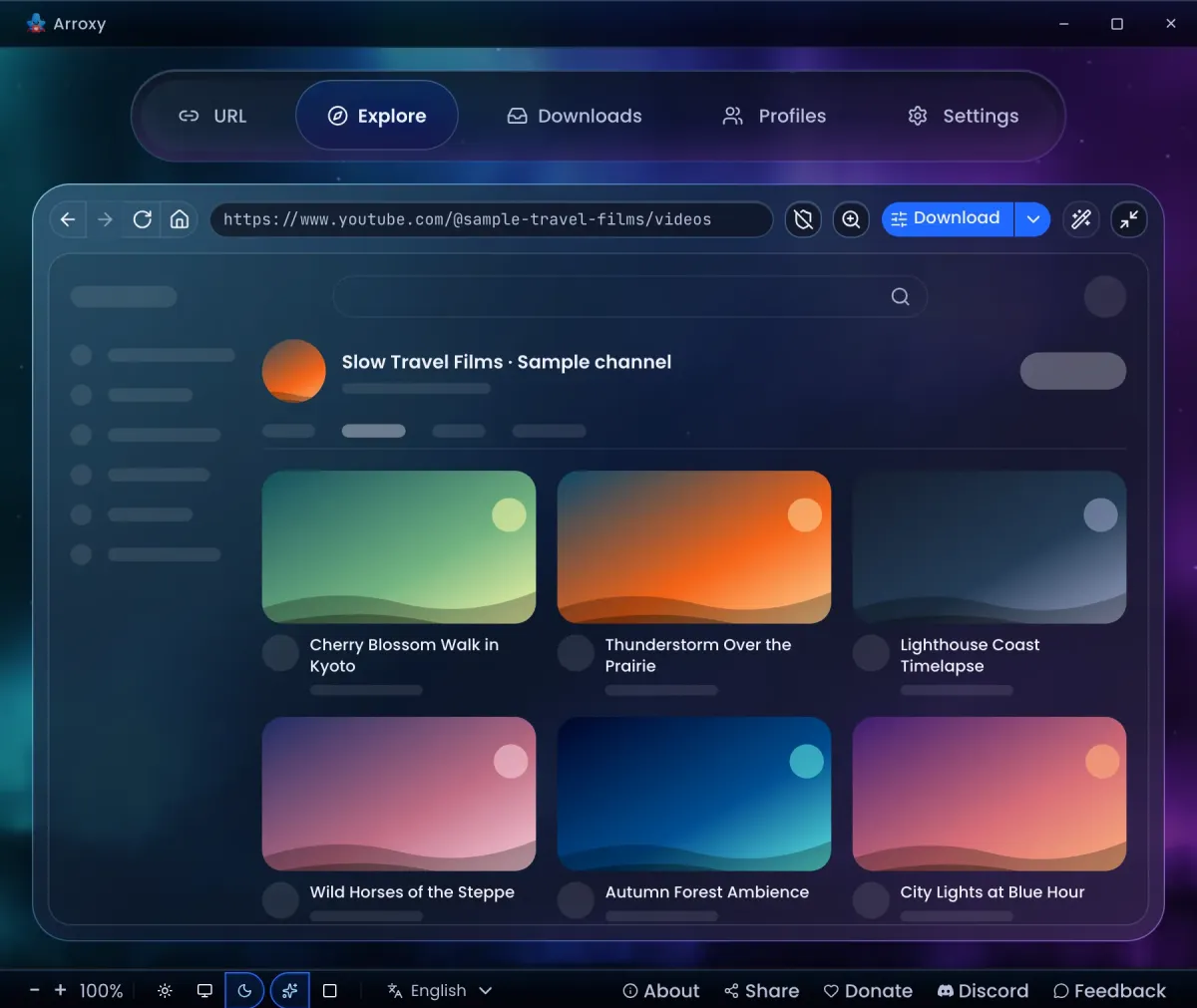
    Most free downloaders are a box for a URL. Arroxy has a browser of its own. Open YouTube or any other site in the Explore tab. One click saves the video, playlist or channel on screen, and a right-click works on any link on the page.

    • No cookie files: the Explore sign-in is all Arroxy needs, and it brings your Watch Later and Liked lists too.
    • Ad blocker when you want it: one click on the shield blocks ads and trackers on Explore’s pages.

    Downloads run signed out first. A secondary account is the safer sign-in, and signing out in Settings forgets it.

    Arroxy's Explore tab showing a YouTube channel page with a Download button for the active profile
  2. 8K, HDR and 60 fps, kept as they are

    Pick the exact stream your TV, phone or editor plays, saved without re-encoding.

    More details

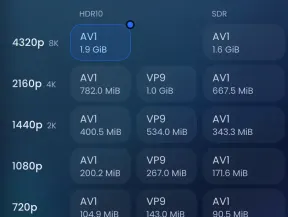
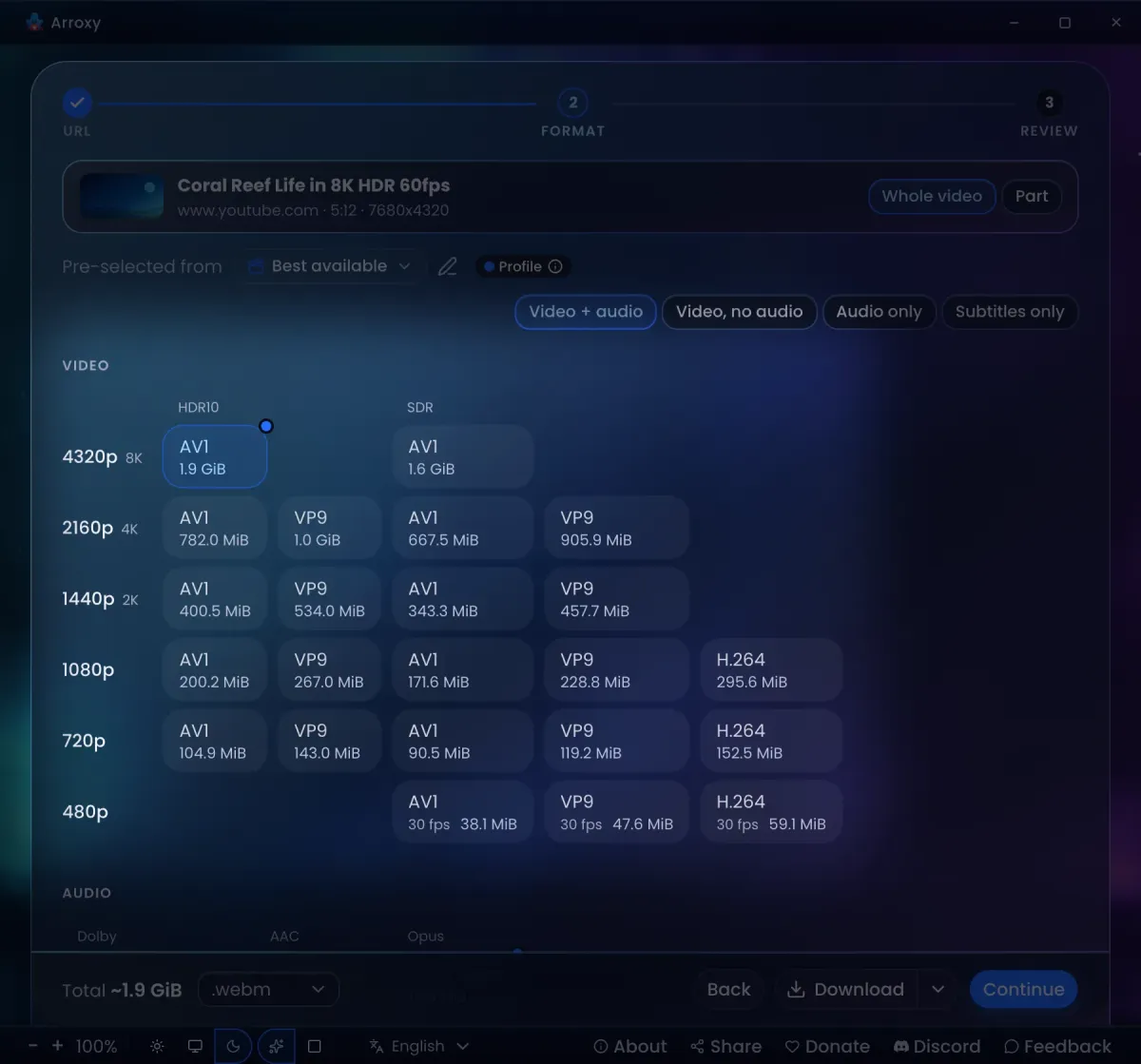
    Pick from 8K (4320p), 4K (2160p), 1440p, 1080p, 720p and below. High frame rate and HDR10 come through untouched, and Arroxy saves the file as MP4, MKV or WebM without re-encoding.

    • Codecs side by side: AV1, VP9 and H.264 at every resolution YouTube offers them (H.264 stops at 1080p). Take the one your hardware or editor handles best.
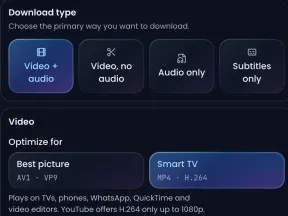
    • Pick a goal: Best picture favours AV1 and VP9, and the Smart TV profiles save MP4 with H.264. On Auto, HDR comes first only when your screen can show it.
    • No surprises: Arroxy marks AI-upscaled sizes, AI-dubbed audio, 360° videos and damaged copies before you pick.
    Arroxy's Format step for an 8K HDR 60 fps video: one row per resolution from 4320p to 480p, AV1, VP9 and H.264 in HDR10 and SDR columns, and Dolby, AAC and Opus audio
  3. Just the part you need

    Pick a start and end, or a chapter, and Arroxy saves only that stretch.

    More details

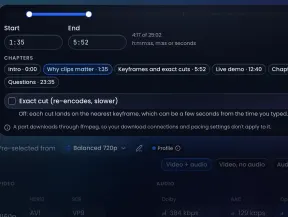
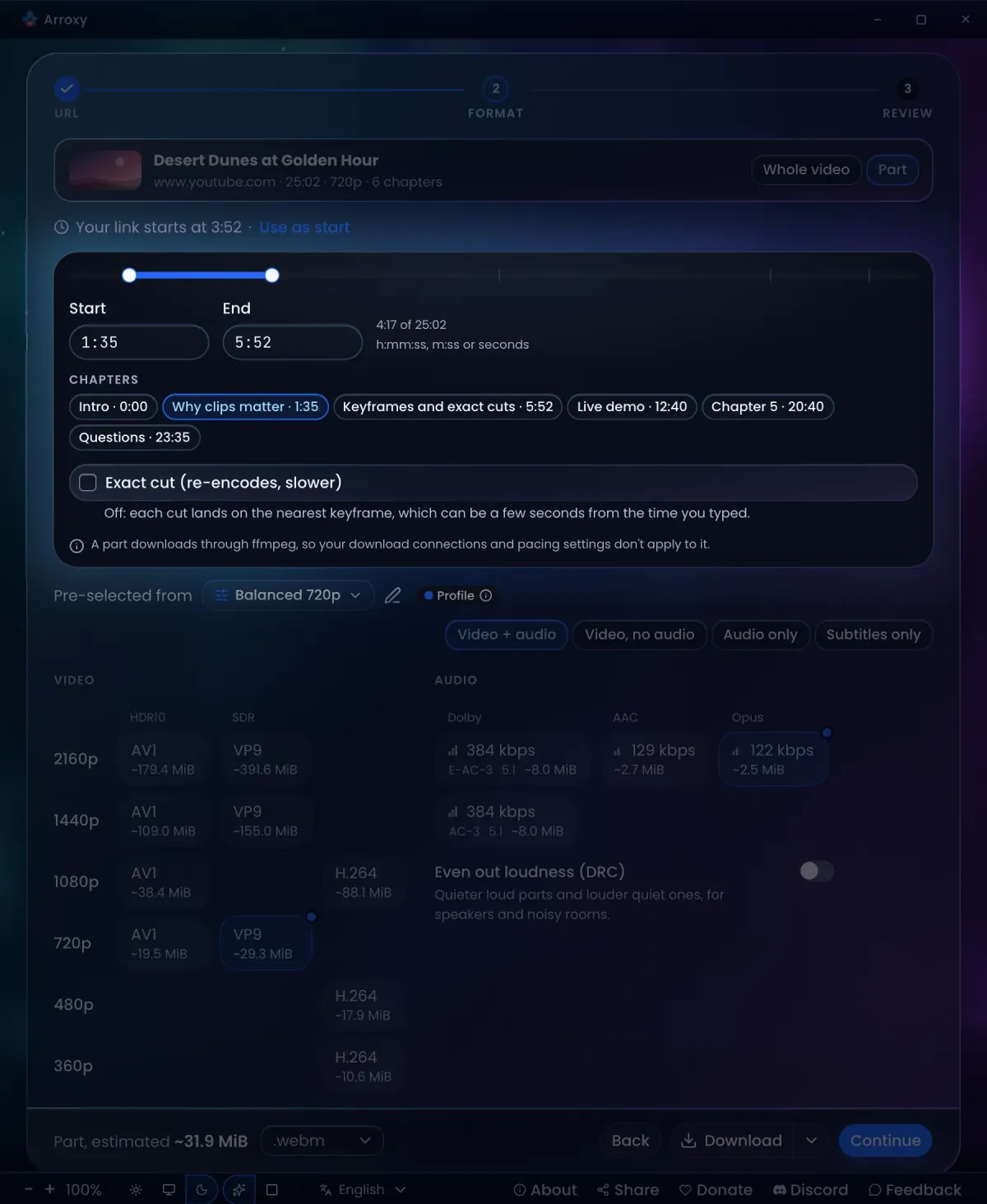
    On the Format step, switch from Whole video to Part. Drag the range, type the times or pick a chapter. A link with a timestamp offers that time as the start, and the file name carries its range, so parts never overwrite each other.

    • Fast by default: each cut lands on the nearest keyframe, a few seconds from the time you typed, with no re-encoding.
    • Precise when it matters: turn on exact cut and Arroxy re-encodes to start on the frame you chose. It takes longer.
    Arroxy set to save part of a video: start and end range, chapter chips and the exact cut option
  4. Audio only: MP3, AAC, Opus or WAV

    Turn a video into an MP3, with the title and artist already filled in.

    More details

    Save a song, a podcast or a lecture as an audio file. Arroxy writes the title, artist and upload date into the file, and can embed the thumbnail as cover art, so it looks right in your music player.

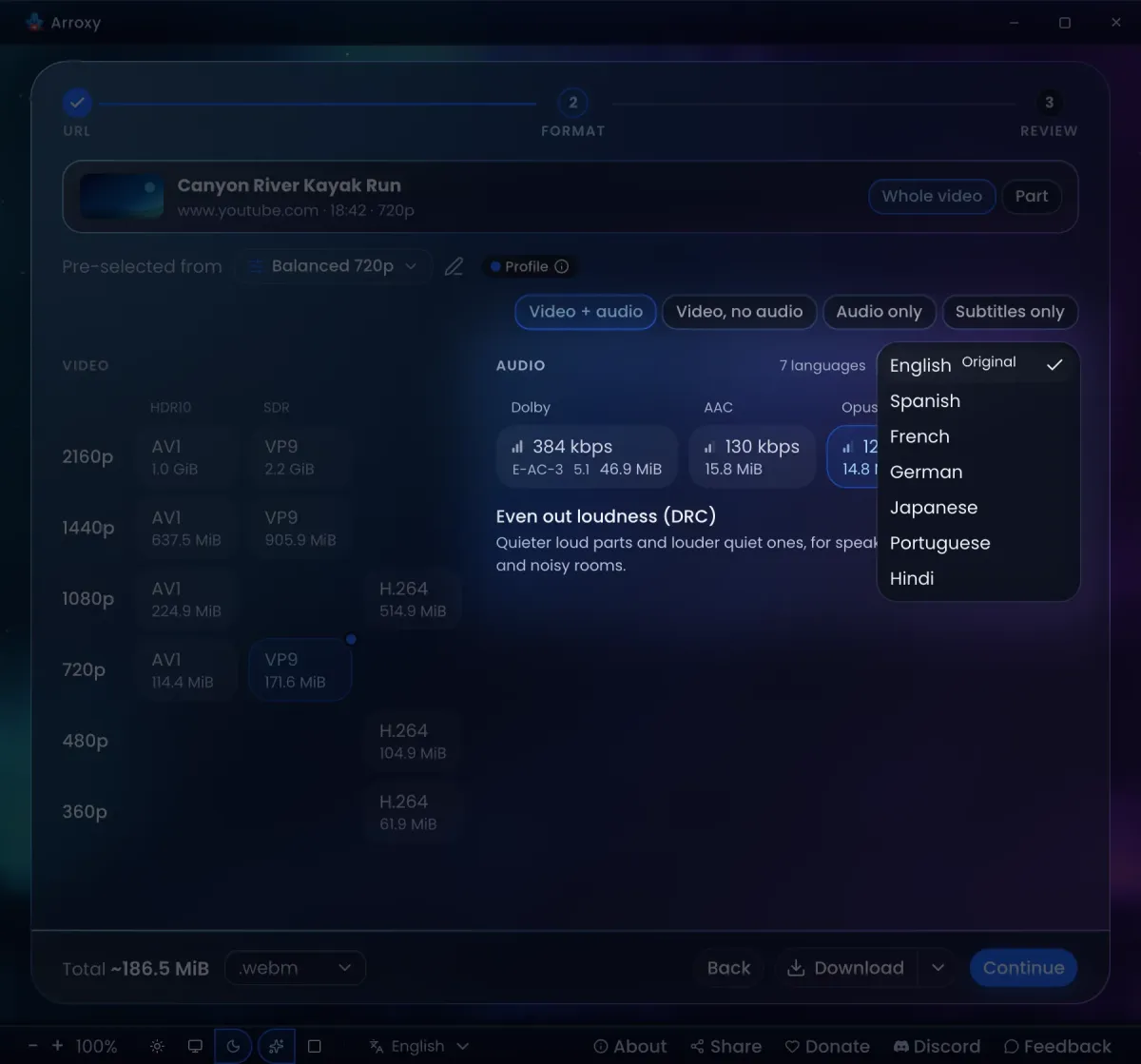
    • Dolby and 5.1: when a video ships AC-3 or E-AC-3 tracks, pick them, or set Prefer surround as your default.
    • Dubbed tracks: pick the language you want to hear.
    • Works across sites: SoundCloud, Bandcamp and other supported sites, not only YouTube.
    The audio language list in Arroxy, open on a video with seven dubs, next to its Dolby 5.1 and AAC tracks
  5. Whole playlists and channels

    Paste a playlist or a channel. Keep every video, or only the ones you pick.

    More details

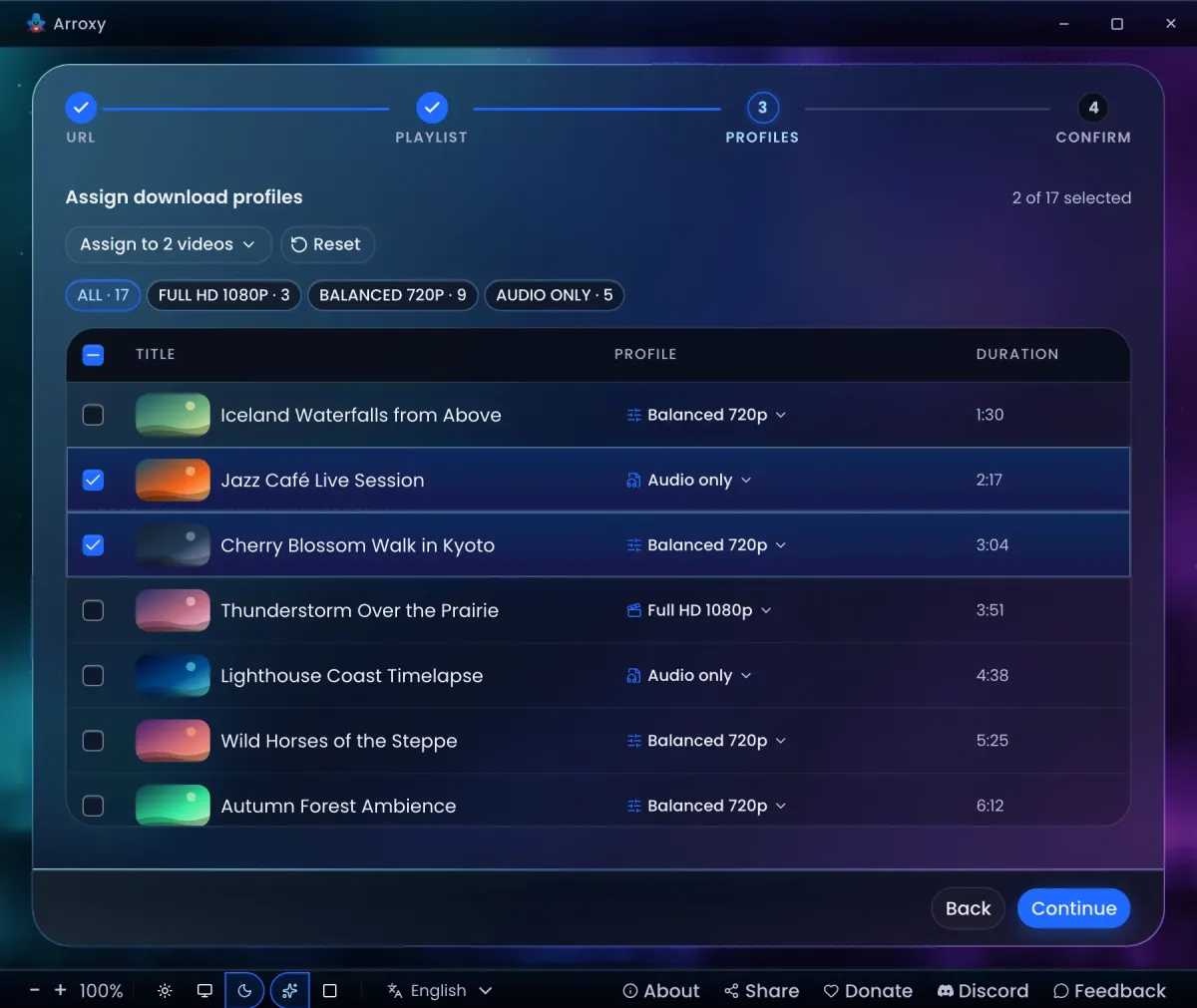
    Drop in a playlist or channel link, set how many entries to scan, and queue them all or tick the ones you want. A messy list of links works too: Arroxy removes the duplicates and queues the rest.

    • Per-item profiles: archive some videos in 4K and save the rest as audio only, in one pass.
    • Playlist sync: scan again later and Arroxy grabs only the new videos, keeping an .m3u file up to date.
    • Clean links: Arroxy strips tracking parameters like si, utm_* and fbclid for you.
    Arroxy's playlist picker with a different profile chosen for each video
  6. Subtitles and SponsorBlock

    Uploaded subtitles in every language and auto-captions too, with sponsors cut out if you want.

    More details

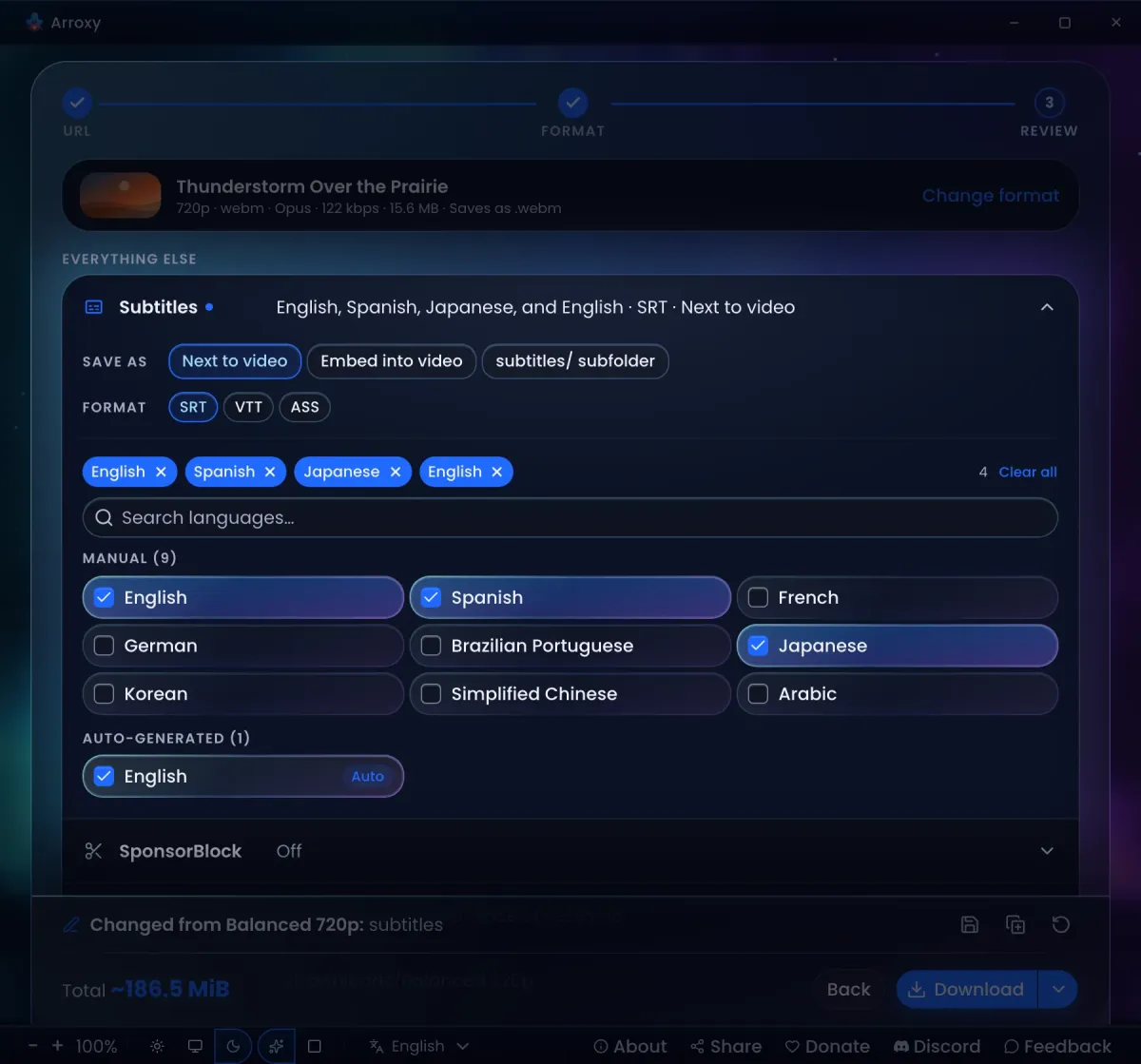
    Uploaded subtitles in every language, plus the auto-captions YouTube makes from the speech, as SRT, VTT or ASS. Save them next to the video, embed them into an .mkv, or keep them in a subtitles/ folder. Need only the captions? Paste a batch of links and get the subtitle files alone.

    • SponsorBlock: skip or mark sponsors, intros, outros and self-promos as chapters.
    • Soft failure: if a subtitle track fails, you still keep the video.
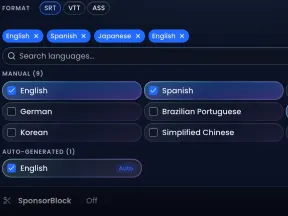
    Arroxy's Review step with Subtitles open: next to the video, embedded or in the subtitles/ subfolder, as SRT, VTT or ASS, with manual and auto-generated languages to tick and SponsorBlock below
  7. A queue that runs itself

    Up to four downloads at once, each with live progress, and the queue survives a restart.

    More details

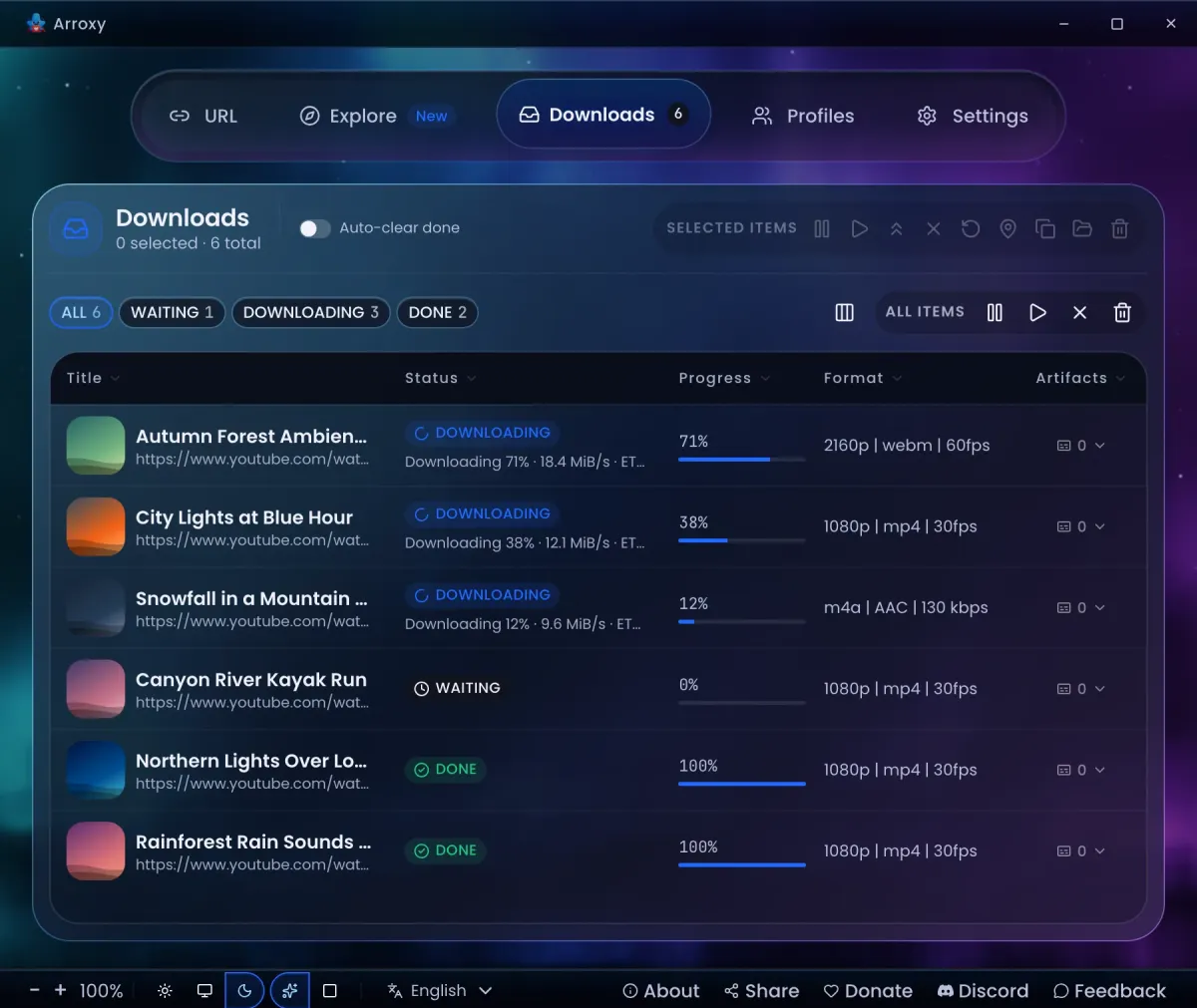
    Everything lands in one queue: single videos, playlists, bulk lists and hotkey links. Filter it by status, pause and resume, cancel, pull one to the front, or let finished rows clear themselves.

    • Parallel, with a cap: set how many downloads run at the same time, and limit the bandwidth if you need to.
    • Automatic retry: turn it on and a row that hits a network or server problem tries again, waiting longer before each attempt.
    • Tells you what needs you: a row that fails says why and offers the fix, such as Retry or signing in.
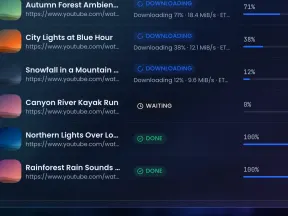
    Arroxy's Downloads tab with three videos in progress, one waiting and two done, each with its progress and format
  8. One hotkey from any app

    Arroxy queues the link with your profile and never even opens its window.

    More details

    It works from a browser, a chat or anywhere else you can copy a link, while Arroxy sits minimised or in the tray. When the window is out of sight, a notification confirms the link, and clicking it brings Arroxy to the front. The shortcut is on by default, and you can change it in Settings.

    • Clipboard watch: copy a video link and find it in the URL field when you switch back to Arroxy, with Undo if it replaced something.
    • Tray mode on Windows and Linux: turn it on, close Arroxy, and downloads keep running.
  9. Your settings, saved as profiles

    Save your favourite settings once, and after that one click does the rest.

    More details

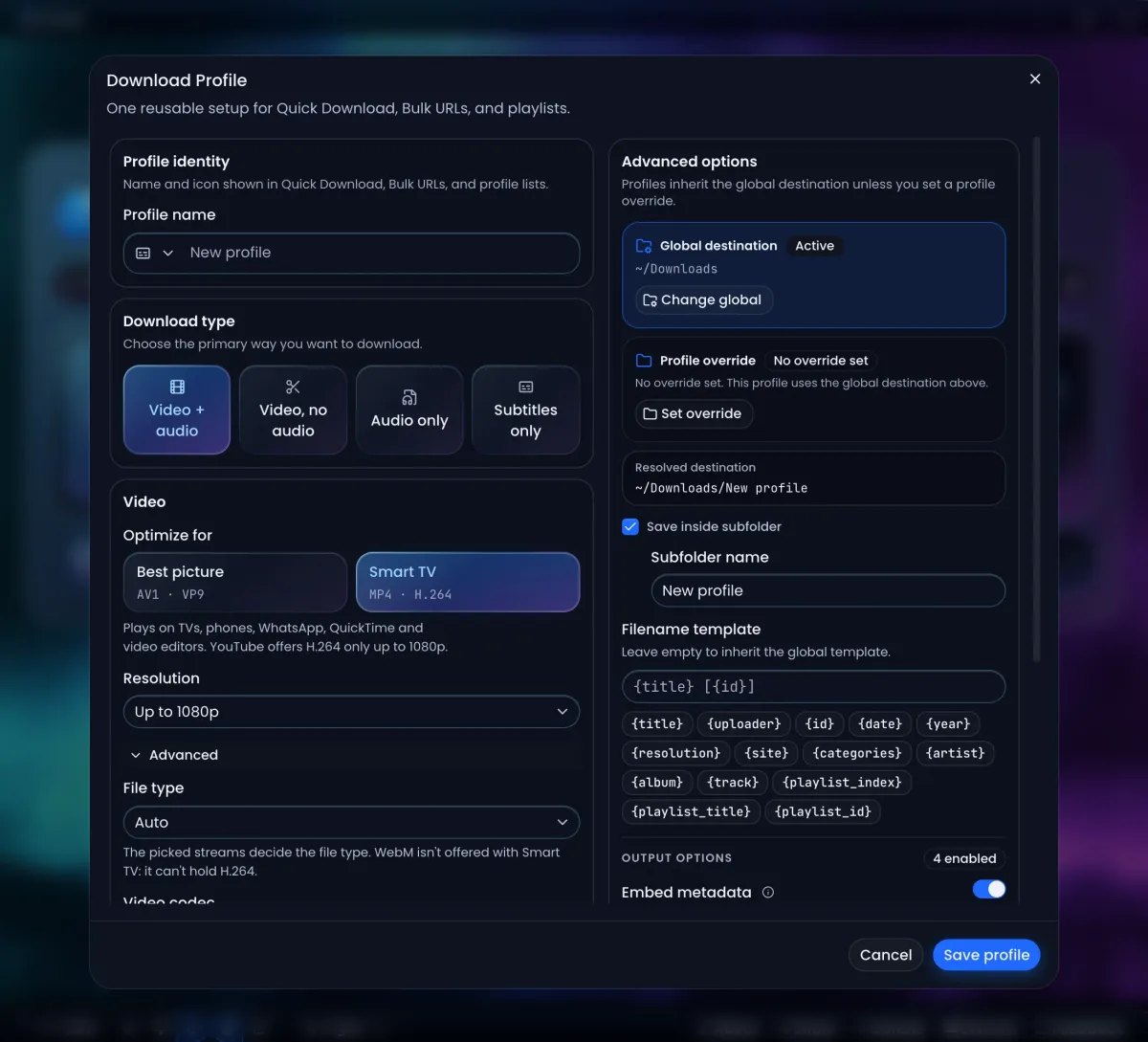
    A profile keeps the format, quality, folder and file name you like. Quick Download uses your active profile, and you can switch to another one right on the home screen.

    • File names your way: templates with {title}, {uploader}, {date} and {resolution}.
    • Tweak once, keep it: adjust the settings on the way, then update the profile they came from or save them as a new one.
    Arroxy's Download Profile editor: profile name, download type, Best picture or Smart TV, resolution, destination folder and filename template
  10. Aurora or Minimal, dark or light

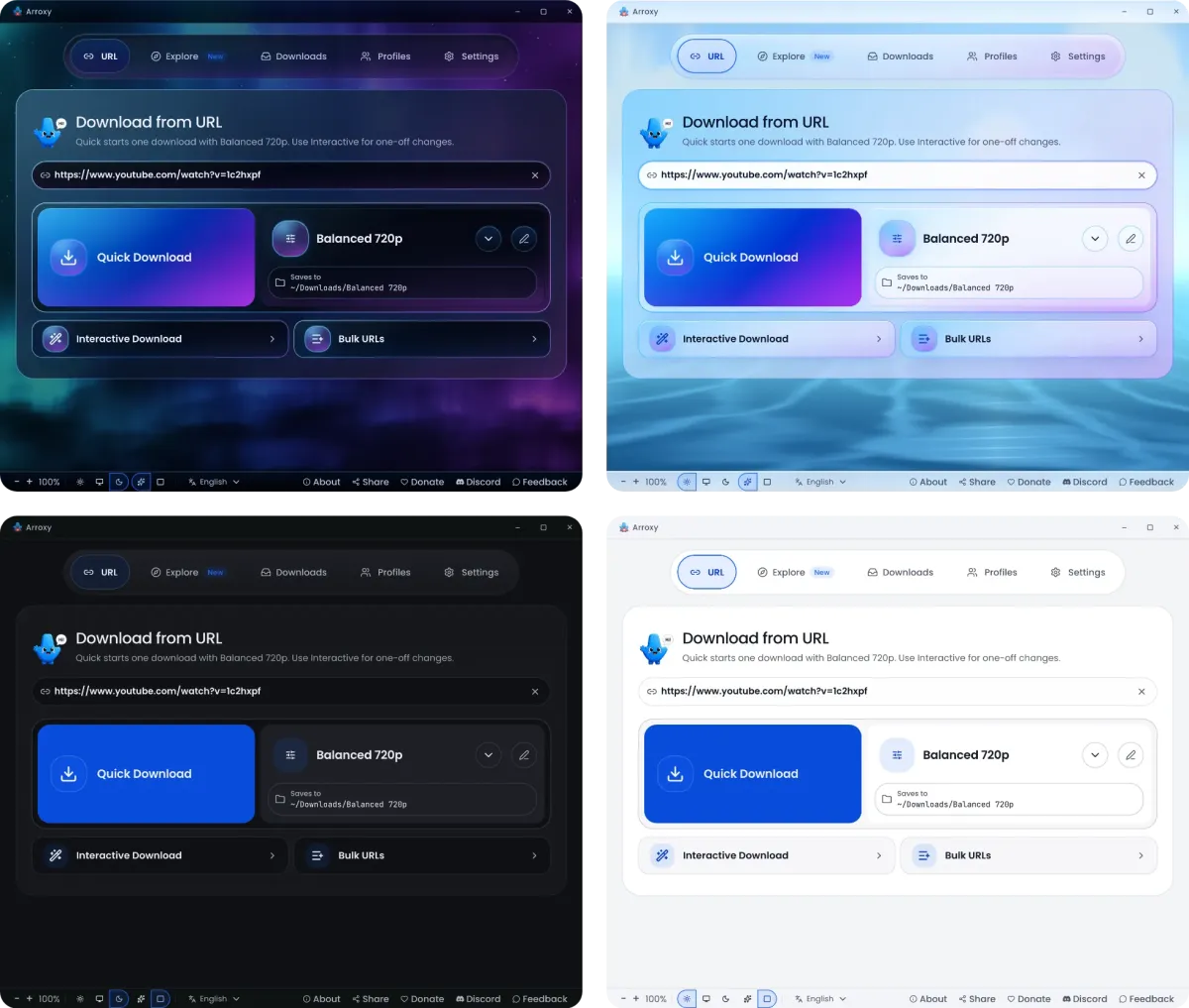
    Glass panels over a moving sky, or quiet solid surfaces: four looks, one click away in the footer.

    More details

    Switch the style and the theme from the footer whenever you like; your queue and settings stay as they are. A computer without graphics acceleration gets Minimal automatically, so Arroxy stays smooth on older machines too.

    • Zoom: make the whole interface bigger or smaller from the footer.
    • Right-to-left ready: Arabic, Persian, Urdu and Pashto get a mirrored layout.
    Arroxy's home screen in four looks: Aurora and Minimal, each in dark and light

How Arroxy compares

Arroxy does one thing: it puts a clean file on your own disk. Here is how it stacks up against the usual alternatives.

FeatureArroxyTypical free desktop downloader4K Video DownloaderJDownloaderOnline convertersBrowser extensions
Built-in browser: browse, sign in, downloadYesNoPartlyNoNoNot applicable
Site sign-in without exporting cookiesYesPartlyPartlyPartlyNoPartly
Everything free, no paid tierYesYesPartlyYesPartlyPartly
Open sourceYesYesNoNoNoPartly
Processing stays on your computerYesYesYesYesNoYes
No usage capsYesYesPartlyYesNoPartly
Desktop app for Windows, macOS and LinuxYesPartlyYesYesNot applicableNo
SponsorBlock and subtitlesYesPartlyPartlyNoNoNo

Yes Partly, or only on a paid tier No
Sign-in support varies by downloader. Some require exported cookies or use your web browser’s sign-in.

Install Arroxy

Pick your system. Package managers keep Arroxy updated for you; direct downloads come straight from GitHub Releases.

Windows 10 and 11

Wingetwinget install AntonioOrionus.Arroxy
Scoopscoop bucket add arroxy https://github.com/antonio-orionus/scoop-bucket && scoop install arroxy

Installer (.exe)Portable (.exe)

“Windows protected your PC” on first launch?

SmartScreen flags apps from publishers it doesn’t recognise yet, and Arroxy isn’t signed with a paid certificate. Click More info, then Run anyway. You can start updates to the installed version from inside the app; the portable file needs no install at all.

macOS 13 or later

Homebrewbrew install --cask antonio-orionus/arroxy/arroxy

Apple Silicon (.dmg)Intel (.dmg)

“Arroxy.app” Not Opened?

Apple hasn’t notarised Arroxy, so Gatekeeper stops the first launch. Homebrew avoids this. If you used the DMG, drag Arroxy to Applications, then run:

Terminalxattr -dr com.apple.quarantine /Applications/Arroxy.app && open /Applications/Arroxy.app

Linux

AppImagecurl -fsSL https://raw.githubusercontent.com/antonio-orionus/Arroxy/main/scripts/install.sh | sh -s -- --appimage
Flatpakcurl -fsSL https://raw.githubusercontent.com/antonio-orionus/Arroxy/main/scripts/install.sh | sh -s -- --flatpak

AppImageFlatpaktar.gz

Stuck? Fixes for common Linux problems
Double-clicking the AppImage does nothing
It isn’t marked as a program yet. Right-click it, open Properties › Permissions and turn on “Allow executing file as program”, or run:
Terminalchmod +x Arroxy-linux-x64.AppImage && ./Arroxy-linux-x64.AppImage
“AppImages require FUSE to run” or fusermount errors
Install FUSE with sudo apt install fuse3 (Debian, Ubuntu), sudo dnf install fuse3 (Fedora) or sudo pacman -S fuse3 (Arch). Or start it without FUSE:
Terminal./Arroxy-linux-x64.AppImage --appimage-extract-and-run
“Exec format error”
This computer is ARM (a Raspberry Pi, Asahi Linux). Arroxy’s Linux builds are x86_64 only for now.
No AppImage or Flatpak at all
The tar.gz build is the same app with no wrapper: extract it anywhere and run arroxy inside.

Check it yourself. Every release publishes SHA256SUMS next to the files, and every line of code is on GitHub. Get Arroxy only from GitHub Releases or the package managers above. Everything else installs itself on first launch.

Your downloads stay yours

Straight to your disk. Files go from the site to the folder you pick. No other server touches them, and your links, history and files stay on your computer.

Two honest signals. Once a day Arroxy sends an anonymous ping, so the project can count active users. It holds the Arroxy version, operating system and CPU type, interface and system language, where you got Arroxy and roughly how long ago. When Arroxy sets up or updates its download engine and media tools, it also reports whether that worked and about how long it took. No IDs, links, titles or file paths. One switch in Settings turns both off.

Sign-ins stay local. Explore keeps its own sign-ins, separate from your browser, and Arroxy never fills in a login form for you. Signing out removes them.

Questions people ask

Is Arroxy really free?

Yes. Arroxy is GPLv3 software, with no paid plan, no feature gating, no ads and no usage caps.

How is Arroxy different from other yt-dlp GUIs?

Most only take a link. Arroxy also includes Explore, a built-in browser: browse and save videos without copying links. If a download needs an account, sign in in Explore using your own account, with nothing to export.

What video qualities can I download?

Up to 8K (4320p) and down to 360p, plus audio only. 60 fps and HDR stay as they are, and you choose AV1, VP9 or H.264 for each resolution (H.264 tops out at 1080p).

Can I save just the audio as MP3?

Yes. Pick audio only and MP3; M4A, Opus and WAV are there too.

Can I download playlists or whole channels?

Yes. Paste the link, set a scan limit, then queue everything or tick single entries. Each one can get its own profile.

Which other sites does Arroxy support?

Anything yt-dlp supports, which is more than 2000 sites, including Twitch, TikTok, Dailymotion, VK, SoundCloud, Bandcamp and archive.org. When a site changes, the fix reaches Arroxy on its next launch.

Do I need to install anything else?

No. ffmpeg and the download engine install themselves on first launch, stay on your computer and get updates without a new Arroxy release.

Why does Windows or macOS warn me when I open it?

Neither build carries a paid code signature, so SmartScreen and Gatekeeper do not recognise the publisher. That is no sign the app is unsafe: you can read the source, check the published SHA256 checksums, or use Winget or Homebrew. Install Arroxy has the exact steps.

Is downloading YouTube videos legal?

It depends on your country and on what you download. Download only content you own, content that is licensed for download, or content the law in your country lets you copy. You are responsible for following YouTube’s Terms of Service and your local copyright law.

The Arroxy mascot celebrating a finished download

Found a video worth saving?

Free, open source and yours to keep.

Download Arroxy